
Shift confirmation, photo check-in and escalation
Confirms shifts by WhatsApp with a phone fallback, and escalates to a control room.
The challenge
Security firms lose money and reputation when a shift goes unfilled. Rotas arrive as spreadsheets, officers are reached one by one, and nobody knows a shift is at risk until it is almost too late.
The solution
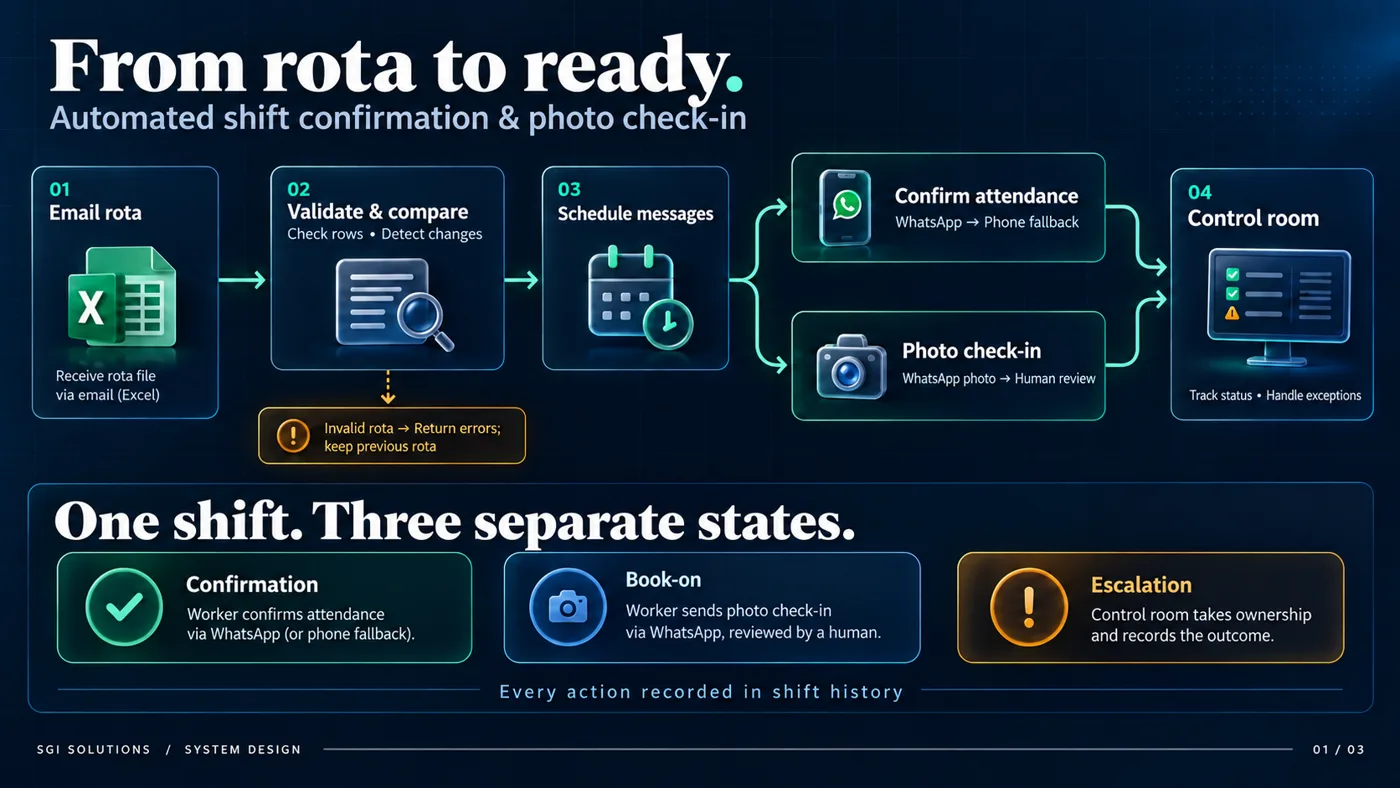
An operations system for a UK security staffing firm. A rota arrives by email, is validated and compared with the previous one, and confirmation requests go out by WhatsApp with an automated phone call as fallback. Officers confirm with a keypress or a button.
Each shift keeps three separate states: confirmation, book-on photo check-in reviewed by a person, and escalation, where the control room takes ownership and records the outcome.
What it does
- Invalid rotas are rejected with errors; the previous rota stays in force
- Phone confirmation with retry, then automatic escalation
- Control room dashboard with single sign-on and a plain-language shift history
- Safety switches and a kill switch on all outbound messaging
How it works
- Receive the rotaThe rota arrives by email as an Excel file. It is checked row by row. If it is invalid, errors are returned and the previous rota stays in force.
- Compare and scheduleChanges against the last rota are detected, and reminders and confirmation requests are scheduled for every affected shift.
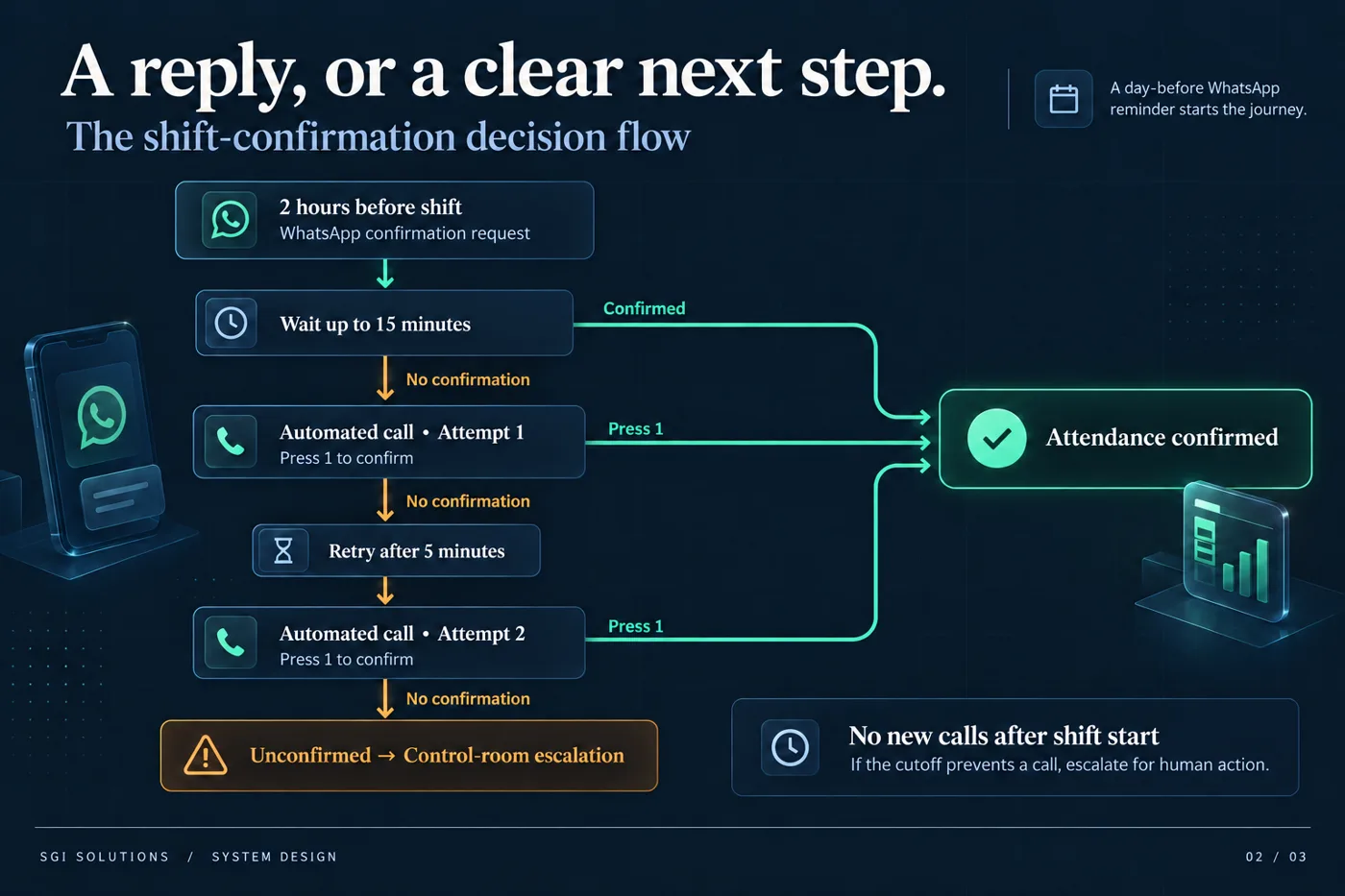
- Ask on WhatsAppA day-before reminder goes out, then a confirmation request two hours before the shift. Officers confirm with a button.
- Fall back to a phone callIf there is no answer after 15 minutes, an automated call asks the officer to press 1. If that fails, it retries after 5 minutes.
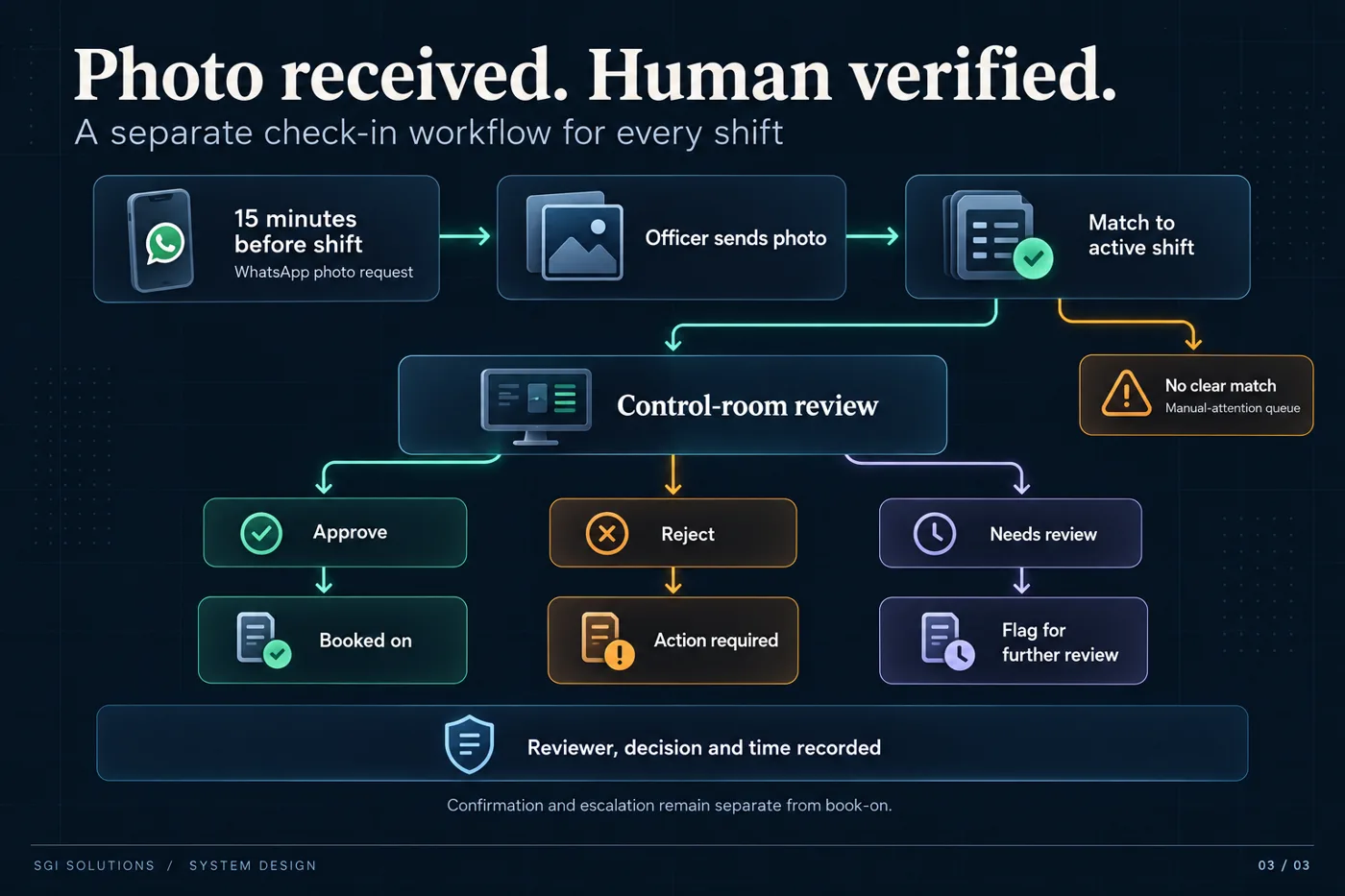
- Check in with a photoShortly before the shift, the officer sends a photo on WhatsApp. It is matched to the shift and queued for human review.
- Escalate to a personIf a shift is still unconfirmed after two calls, the control room is alerted. An operator takes ownership, acts and records the outcome.
Design decisions
Three separate states per shift
Confirmation, book-on and escalation are tracked independently. A late confirmation can never silently close an open escalation.
People review the photos
The system matches a photo to a shift, but a person approves or rejects it. Every decision records who, what and when.
One open escalation per shift
A database rule makes it impossible for retries or two operators acting at once to create duplicate escalations.
Safe by default
All outbound messaging is switched off until enabled, there is a kill switch, no calls are placed after a shift has started, and every step is written to a shift history in plain language.
Built with
Node.js and PostgreSQL, the WhatsApp Cloud API and Twilio Voice for calls, files held in UK-hosted storage, and Microsoft Entra ID single sign-on for the control room. More than 500 automated tests run against a real database, and telephony was tested with live calls, including simultaneous ones.
Got a process that eats your week?
Tell us where enquiries, shifts, quotes or follow-ups slip through, and we will show you what could be automated and what should stay with your team.
Book a free callRelated guides
More projects
Images are system design diagrams, not screenshots of client systems.